MongoDB - Running Locally alongside the FaceTec Server
Learn how to adjust the Docker Settings when running MongoDB locally on the same machine as the FaceTec Server.
Updating the Docker Settings
You will need to either use the Docker Address that maps to localhost or instruct Docker to share the same network space as the host machine.
Method 1 (Recommended): Use the Docker Address that maps to localhost
Docker utilizes a special Docker Address that can be used for referencing the host's IP address.
- For Linux, replace localhost or 127.0.0.1 with 172.17.0.1
- For Windows and Mac, replace localhost or 127.0.0.1 with host.docker.internal
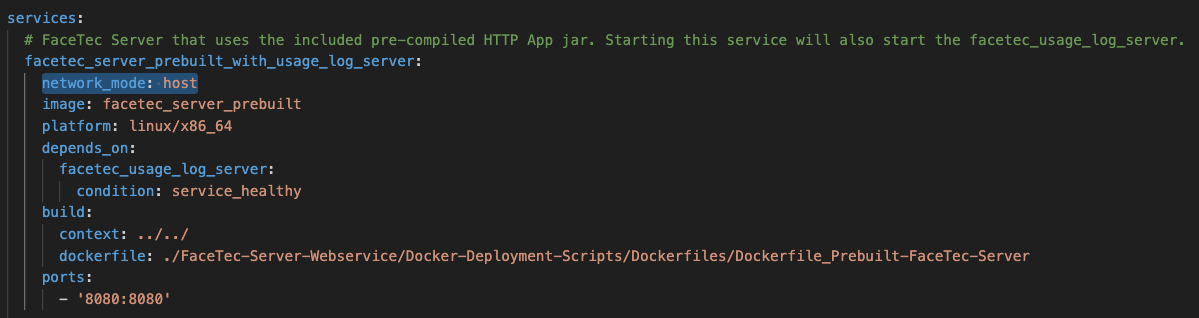
Method 2: Update docker-compose.yml
Docker can also be configured to share the same network space as the host machine. To do this, you will need to add network_mode: "host" underneath the service name in the docker-compose.yml file.
Please Note: Because Docker is sharing the same network space as the host machine, there is the possibility for conflicts to occur when different services on the host are assigned to the same ports.