FaceTec Frame on Tablet Devices
Learn how the FaceTec Frame is displayed on tablet devices.
FaceTec Tablet Behavior
FaceTec requires 3D FaceScans to be performed in Portrait Mode to ensure an optimal user experience.
A tablet's front camera is generally located in one of the following areas:
- The midpoint of the top edge or bottom edge (when held in Portrait Mode).
- A point that is close to one of the tablet's corners.
- The midpoint of the left edge or right edge (when held in Portrait Mode).
Because a tablet's camera can be located in any one of these areas, the camera's position in Landscape Mode can change significantly based on the device model that is being used.
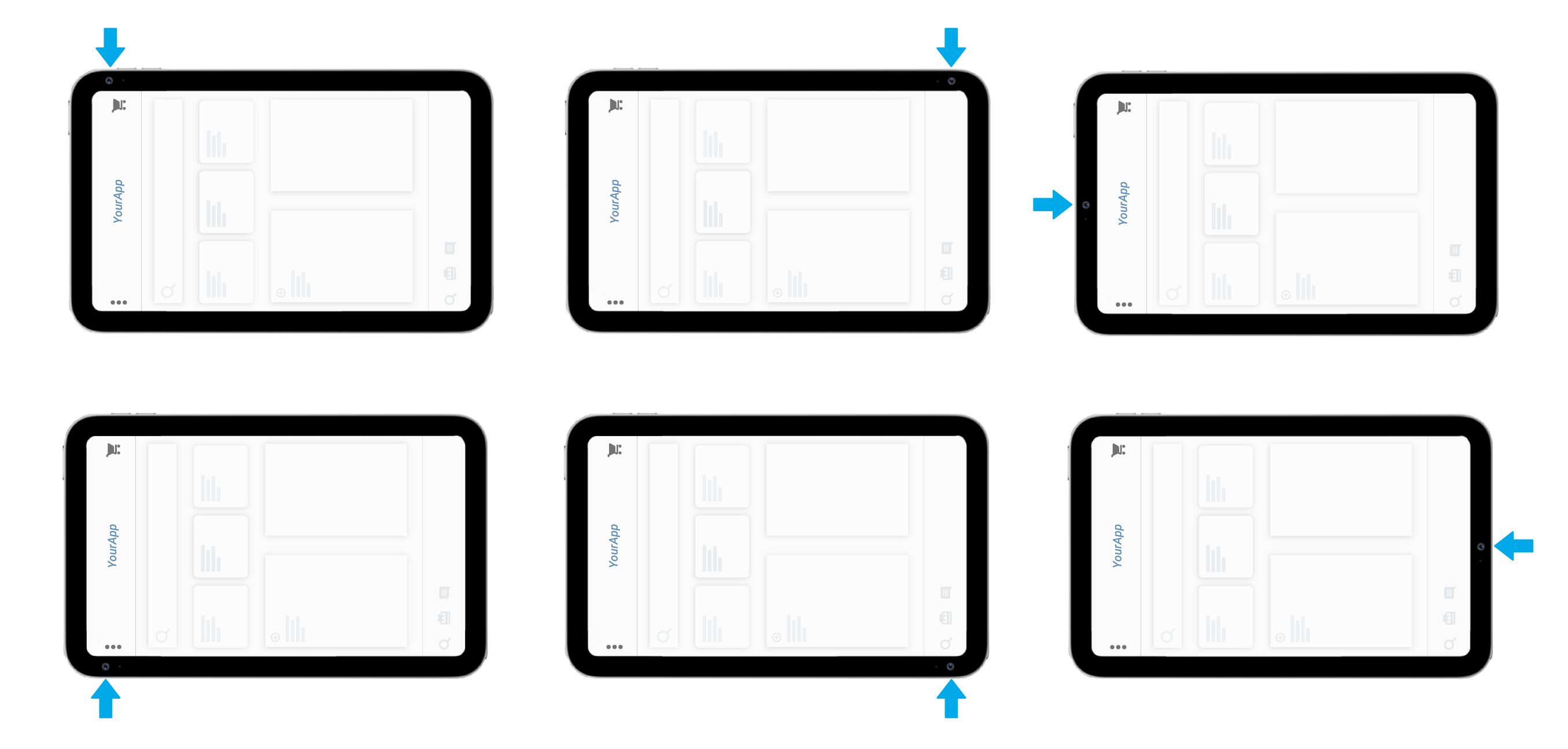
This inconsistent position of the camera results in poor face alignment when Landscape Mode is used. It results in severe usability issues since the User needs to look far to the left or far to right while also aligning their face.
Even when the front camera is located at the top-middle of the device in Landscape Mode, the images captured will be in landscape orientation. This means that there are fewer pixels in the User's face region, which reduces the overall accuracy of AI Models that rely on this face data.
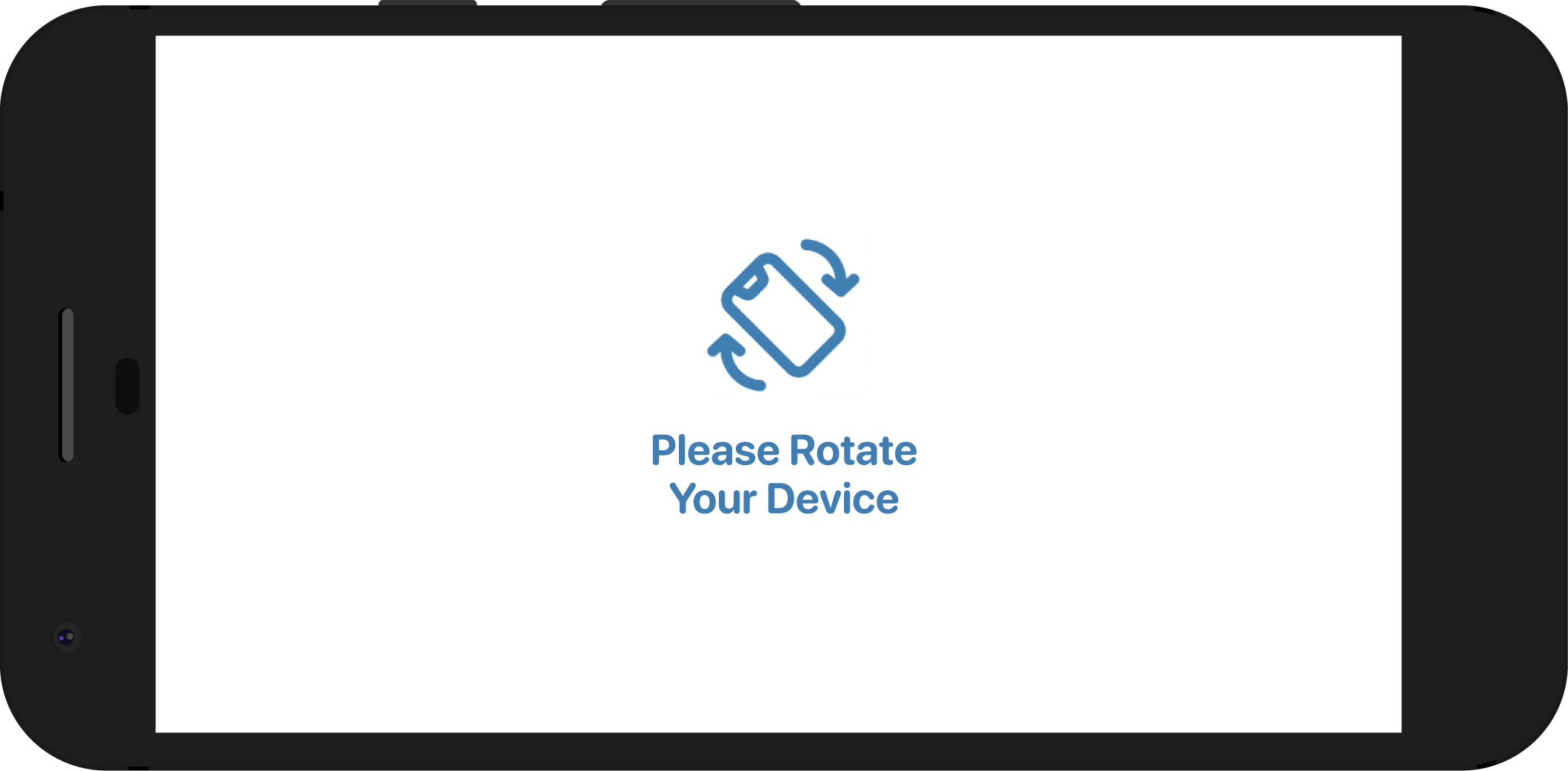
For the above reasons, images captured in Landscape Mode are not suitable for high-confidence 3D Liveness Checks and 3D:3D Re-Verification. If FaceTec detects that the User is holding the device in Landscape Mode, then the FaceTec's Orientation Help Screen will guide the User to rotate their device to Portrait Mode.
Important Note: Due to its importance to the overall user experience, the Orientation Help Screen cannot be disabled.
Camera-Dependent Frame Position (v10.1+)
In v10.1+, the FaceTec Frame is automatically repositioned to be placed closest to the physical camera location*. This helps to ensure that the tablet device is being held in a manner such that the User naturally looks forward and towards the built-in camera. This solution also ensures that Portrait-Style Data is captured, which ensures optimal performance of FaceTec's AI Models by increasing the amount of pixels that are used to capture the User's face.
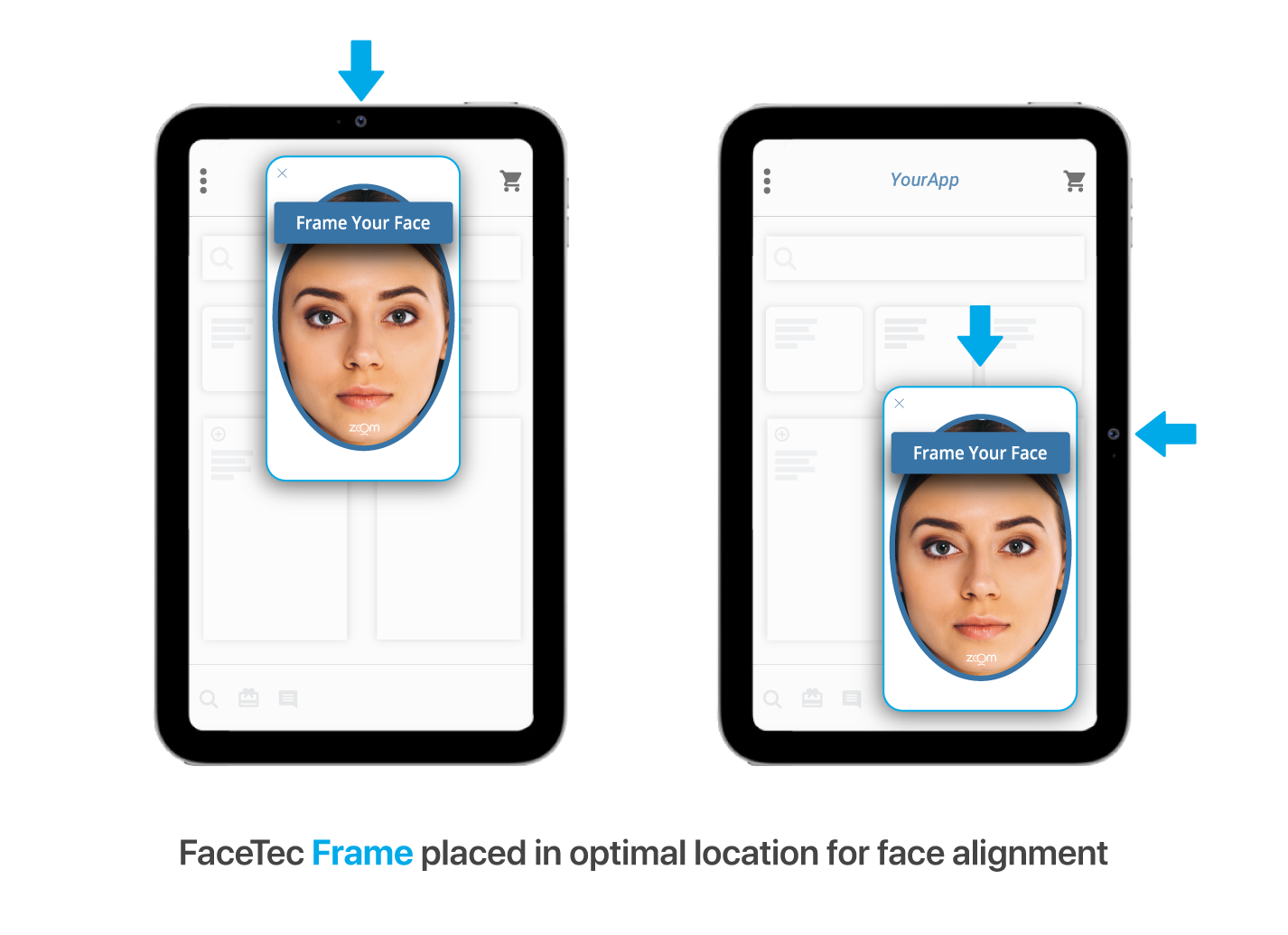
* Important Note: There is no a reliable OS APIs for determining the location of a tablet's camera. The camera location is unique for every type of tablet model. For optimal usability, FaceTec utilizes internal proprietary logic to ensure that the FaceTec Frame is placed in the optimal location relative to the User's device-specific camera location. Please send FaceTec a Support Request if you encounter a device where the FaceTec Frame is not being placed next to the tablet's physical camera location (as shown in the diagram above).